Quick answer
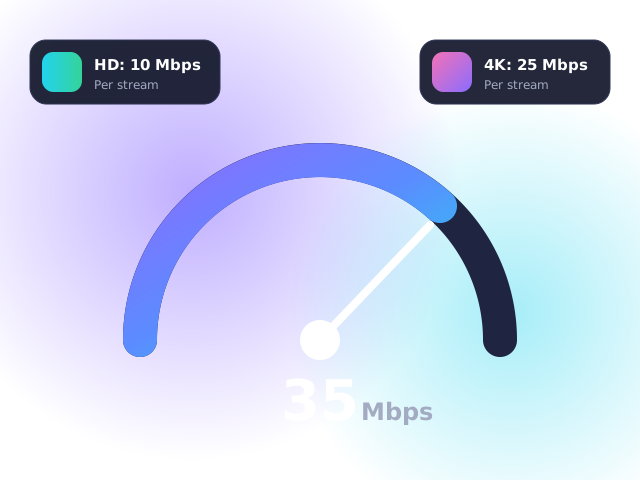
You need at least 10 Mbps for HD IPTV, 15 Mbps for Full HD and 25 Mbps for 4K — per stream. Stability matters as much as raw speed: a steady 30 Mbps beats a patchy 100 Mbps.
Recommended speed by picture quality
| Quality | Minimum | Recommended | Data per hour |
|---|---|---|---|
| SD (576p) | 3 Mbps | 5 Mbps | ~0.7 GB |
| HD (720p) | 7 Mbps | 10 Mbps | ~1.5 GB |
| Full HD (1080p) | 10 Mbps | 15 Mbps | ~3 GB |
| 4K UHD (2160p) | 20 Mbps | 25 Mbps+ | ~7 GB |
Planning for a busy household
Add up everything happening at once. A family with one 4K stream, two people on video calls and a games console downloading an update could easily need 60–80 Mbps. Ofcom reports that the average UK home broadband speed is now well above that — but evening congestion can still cause dips.
How to test your speed properly
- Run the test on the device you watch on — a Firestick may get half the speed your phone does next to the router. On Fire TV, apps like “Analiti” work well.
- Test at 8–10pm, when UK networks are busiest.
- Look at jitter and packet loss, not just Mbps. Jitter under 30 ms is ideal.
How to improve your IPTV speed
- Use Ethernet — a cable from router to TV or stick is the single best upgrade. Powerline adapters are a good alternative.
- Use 5 GHz Wi-Fi rather than 2.4 GHz if your device supports it.
- Move the router out of cupboards and away from microwaves and cordless phones.
- Add a mesh system in larger homes or older houses with thick walls.
- Reboot your router weekly — many UK hubs benefit from a fresh start.
Still buffering after all this? Work through our 8-step guide to fixing IPTV buffering.
Notes for UK broadband providers
All major UK broadband networks — the national fibre networks, cable broadband and the independent full-fibre providers — are fast enough for HD and 4K IPTV on most packages. Some providers manage traffic at peak times; if your streams only struggle in the evening, a reputable VPN set to a UK server can help.
Frequently asked questions
Is 30 Mbps enough for IPTV?
Yes. 30 Mbps comfortably supports one 4K stream or two HD streams at the same time.
Does IPTV work on 4G or 5G home broadband?
Yes, provided signal is strong. 5G home broadband routinely delivers 100 Mbps+ in UK cities.
Why is IPTV slower on Wi-Fi than my speed test?
Speed tests usually run on a phone close to the router. TVs and sticks often have weaker Wi-Fi and sit further away, so real-world speed is lower.